


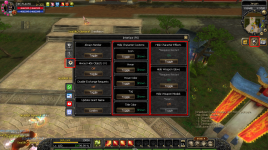
 Türkçe Açıklama
Kullanım şekli:
1. Yukarıdaki görsel de işaretlenmiş olan KguardEdge simgesine tıklayın veya F6 tuşuna basın

2. Ardından görselde işaretlenmiş olan Ayar butonuna tıklayın

3. "Icon, Hwan, Hwan Color, Tag, Title Color" seçenekleri anlık işler fakat "Hide Character Effects, Hide Weapons Glows, Hide Weapon Models" Ayarlarının aktif olabilimesi için Client'ı kapatıp açmanız gerekmekte.
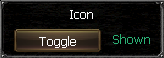 Karakterlerde eklenmiş olan Icon'un gizlenmesini sağlar. | 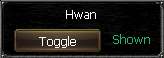 Karakterlerde eklenmiş olan Hwan'ın gizlenmesini sağlar. | 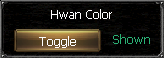 Karakterlerde eklenmiş olan Hwan Renginin gizlenmesini sağlar. | 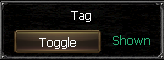 Karakterlerde eklenmiş olan Tag'ın gizlenmesini sağlar. | 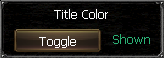 Karakterlerde eklenmiş olan Title Renginin gizlenmesini sağlar. |
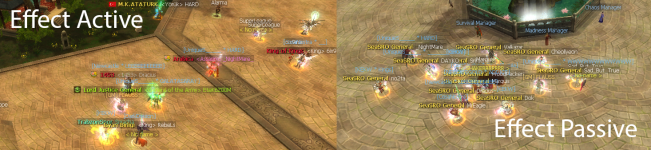
| 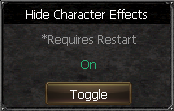 Karakterlerde eklenmiş olan Effectlerin tamamını gizler. (arkalık, başlık vs.) | 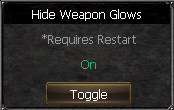 Karakterlerde eklenmiş olan Silah parlamalarının tamamını gizler. | 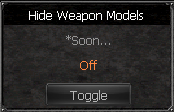 Karakterlerde eklenmiş olan Silah Modellerinin tamamını gizler. (Yakında aktif edilecek) | |
 English Section
How to use:
1. Click the KguardEdge icon highlighted in the image above or press the F6 key.

2. Then click the Settings button highlighted in the image.

3. "Icon, Hwan, Hwan Color, Tag, Title Color" options work instantly, but you need to close and reopen the Client for the "Hide Character Effects, Hide Weapons Glows, Hide Weapon Models" settings to be active.
| Enables the hiding of the icon added to the characters. | This allows Hwan, who has been added to the characters, to be hidden. | This hides the Hwan Color added to the characters. | Enables the tag added to the characters to be hidden. | Enables the Title Color added to the characters to be hidden. |
| Hides all effects added to characters. (attachment, title, etc.) | Hides all weapon glows added to characters. | Hides all weapon models added to characters. (Will be activated soon) | |
Last edited: