


 Item Kilit Sistemi: Eşyalarınızı Güvene Alın / Item Lock System: Secure Your Gear
 Hesabınızdaki değerli eşyaların güvenliğini sağlamak artık çok kolay! İtem kilit sistemi sayesinde eşyalarınızı şifreleyebilirsiniz.
 Securing valuable items on your account is now very easy! Thanks to the item lock system, you can password-protect your items.
 Komut Listesi (Item Kodları) / Command List (Item Codes)
Kilitleme veya açma işlemi yaparken aşağıdaki İngilizce terimleri kullanmanız gerekmektedir. Eğer üzerinizdeki her şeyi kilitlemek istiyorsanız all komutunu kullanın. You must use the following English terms when performing locking or unlocking operations. If you want to lock everything you are wearing, use the all command.| Kategori / Category | Komutlar / Commands |
| Genel / General | all (Tüm eşyalar) / (All items) |
| Silah & Kalkan / Weapon & Shield | weapon, shield |
| Zırhlar / Armors | head, chest, shoulder, hands, legs, foots |
| Takılar / Accessories | earring, necklace, ring1, ring2 |
 Bölüm 1: Item Kilitleme / Part 1: Item Locking
Eşyalarınızı güvene almak için bu 3 adımı izleyin: Follow these 3 steps to secure your items:Adım 1: Sistemi Başlatın / Step 1: Start the System
Oyun içerisindeki [K-Lock] adlı karaktere lock yazarak bir PM (özel mesaj) atın. Send a PM (private message) with the text lock to the in-game character named [K-Lock].
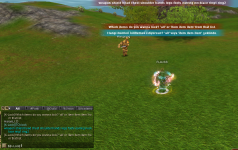
Adım 2: Kilitlenecek Eşyayı Seçin / Step 2: Select the Item to Lock
Kilitlemek istediğiniz eşya türünü (örn: weapon veya all) yazarak tekrar PM atın. Type the item type you want to lock (e.g., weapon or all) and send another PM.
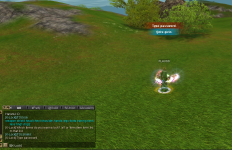
Adım 3: Şifrenizi Belirleyin / Step 3: Set Your Password
Belirlediğiniz güvenli şifreyi yazarak son kez PM atın. Type your chosen secure password and send a final PM.Sonuç: Sistem size hangi eşyanın kilitlendiğini ve belirlediğiniz şifreyi onaylayan bir mesaj gönderir. Eşyanız artık güvende!
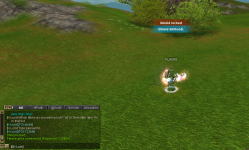
 Bölüm 2: Item Kilidi Açma / Part 2: Item Unlocking
Kilitli eşyalarınız üzerinde işlem yapmak istediğinizde şu adımları izleyin: Follow these steps when you want to perform actions on your locked items:Adım 1: Kilit Açmayı Başlatın / Step 1: Start Unlocking
[K-Lock] adlı karaktere unlock yazarak PM atın. Send a PM with the text unlock to the character named [K-Lock].
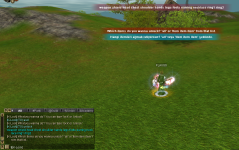
Adım 2: Eşyayı Seçin / Step 2: Select the Item
Kilidini açmak istediğiniz eşya türünü yazarak tekrar PM atın. Type the item type you want to unlock and send another PM.
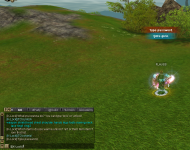
Adım 3: Şifreyi Doğrulayın / Step 3: Verify the Password
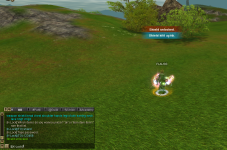
Daha önce belirlediğiniz şifreyi yazarak PM atın. Type the password you previously set and send a PM.
Last edited: